Account Manager Allocation: Customise Depot and Client Ownership
When you’re running a busy rental operation, managing accounts across multiple regions requires precise tracking. If a long-term account operates nationally, ensuring their local orders are automatically assigned to the correct team member helps keep your records accurate without adding to the administrative workload.
Our latest update introduces the ability to assign dedicated managers to individual companies within your HireHop Address Book, tailored specifically for multi-depot hire operations.
Per Depot Assignment
It’s common for a client to cross paths with different areas of your business, hiring equipment from several of your branches or locations. With this new update, you are not restricted to assigning a single, blanket manager for a client profile nationwide: you can set a different account manager for the same company depending on the specific depot handling the work.
Setting it up
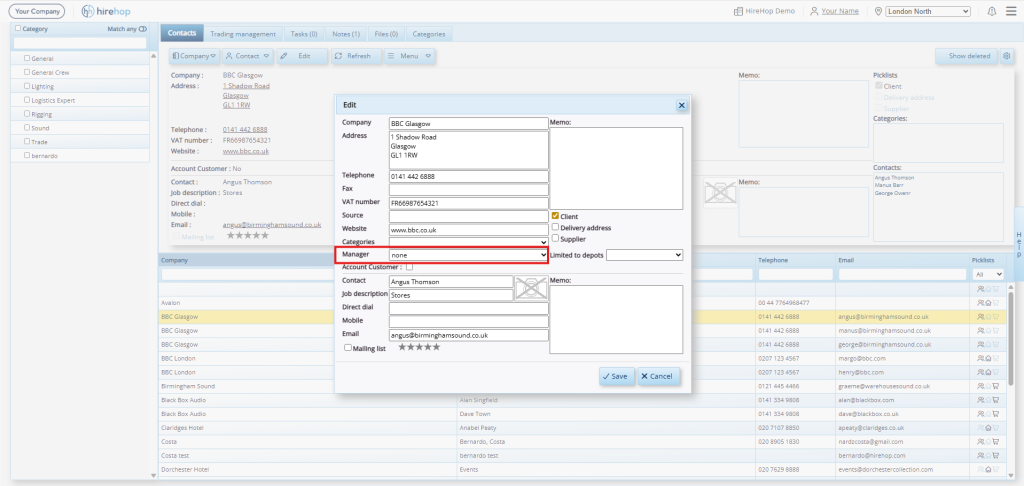
When you create or edit a company profile in your Address Book, simply select the relevant team member from the “Manager” dropdown field. This assigns them as the manager for the specific depot you are currently logged into.
The At-A-Glance View
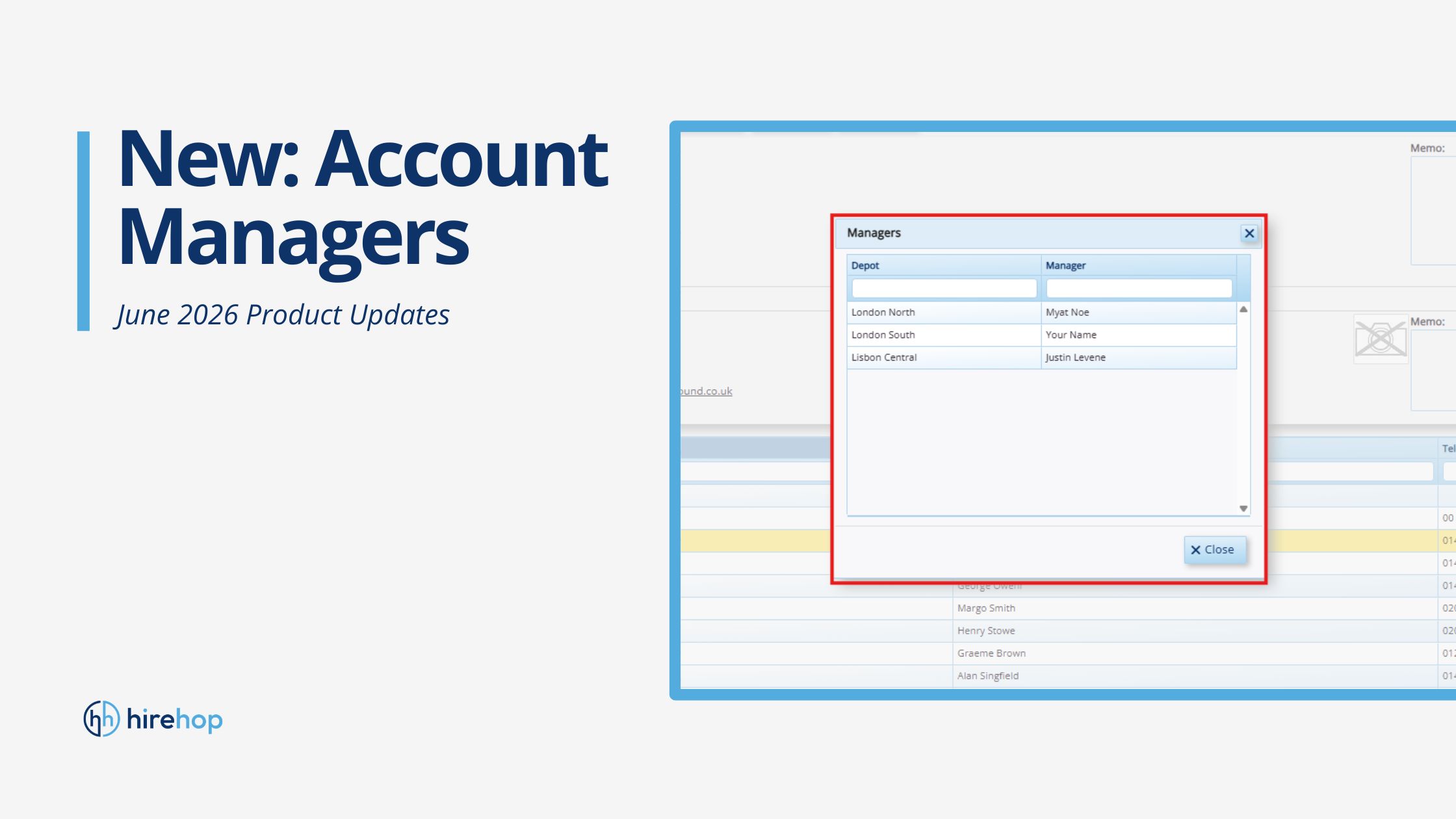
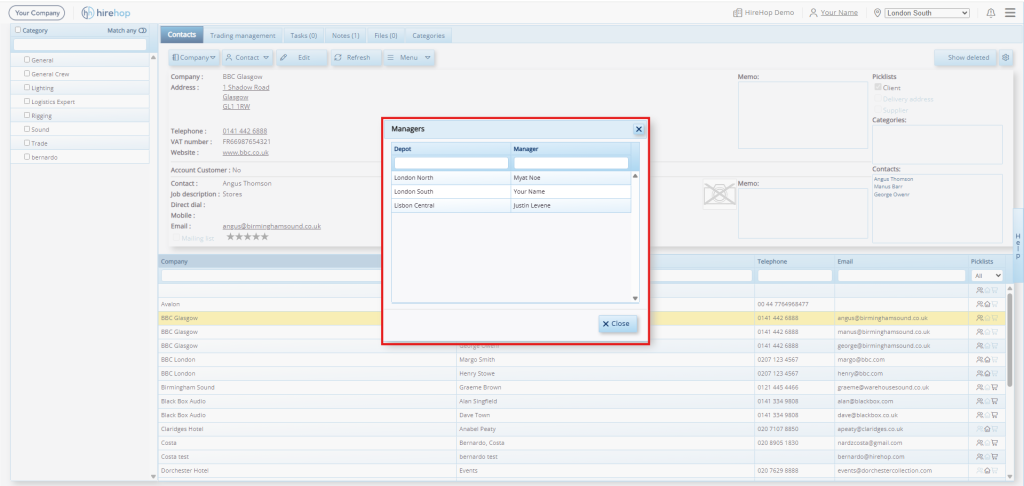
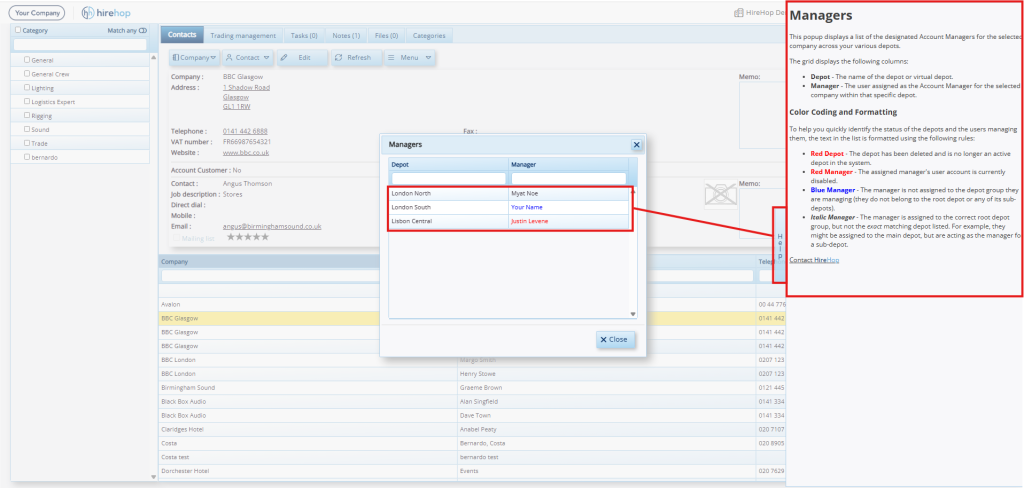
If you want to check who is managing that account across your other locations, click the “Managers” option in the Address Book menu. This brings up a clear table showing a quick overview of the assigned managers across all of your different depots.
Automated Job Assignment
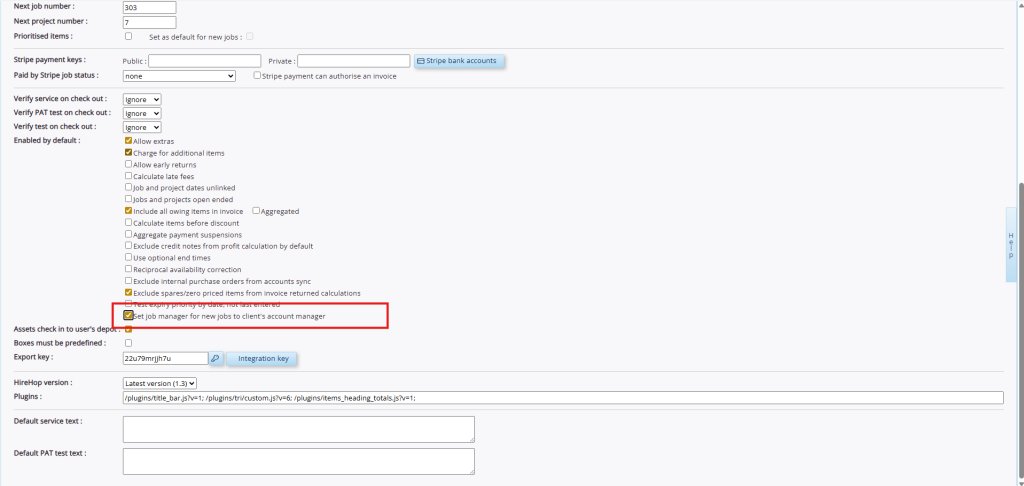
In your Company Settings, you can also enable a new option: “Set job manager for new jobs to client’s account manager.”
Once this setting is turned on, our cloud rental software handles the manual routing for you. The moment a user creates a new job for that client, HireHop checks which depot the job is in, looks up the assigned manager for that specific branch, and automatically sets them as the Job Manager.
For example, if a user in your Manchester depot creates a new AV order for a client whose Manchester manager is set as Jessica, Jessica is automatically assigned to lead the job, even if she didn’t type up the initial quote herself.
Why this is useful for your team
- Fewer Manual Steps: Your desk team no longer needs to remember to manually reassign job managers or pass emails back and forth after a rental order is logged.
- Accurate Pipelines: Account managers can log in, filter by “My Jobs,” and instantly see an accurate, real-time list of the active jobs running under their accounts across the business.
- Clearer Reporting: Management can run automated reports on job values by manager without having to clean up inconsistent data caused by different users creating the initial entries.
The multi-depot account management feature is live and available in your HireHop dashboard today.
Optimise your account workflows with HireHop
There is no need to manually route jobs or pass messages between regional desks when HireHop can handle the assignments automatically. Linking clients to dedicated managers by depot ensures clean pipelines, clear internal communication and accurate reporting across every branch.
If you are ready to configure these routing settings for your team and are already using HireHop, you can log into your dashboard to update your Address Book right now.
If you’re not already running on HireHop and would like to explore how our platform can optimise your rental workflows, we’d love to hear from you! Click the button below to try HireHop for free, or get in touch with us today to arrange a brief demonstration of our multi-depot management tools.